
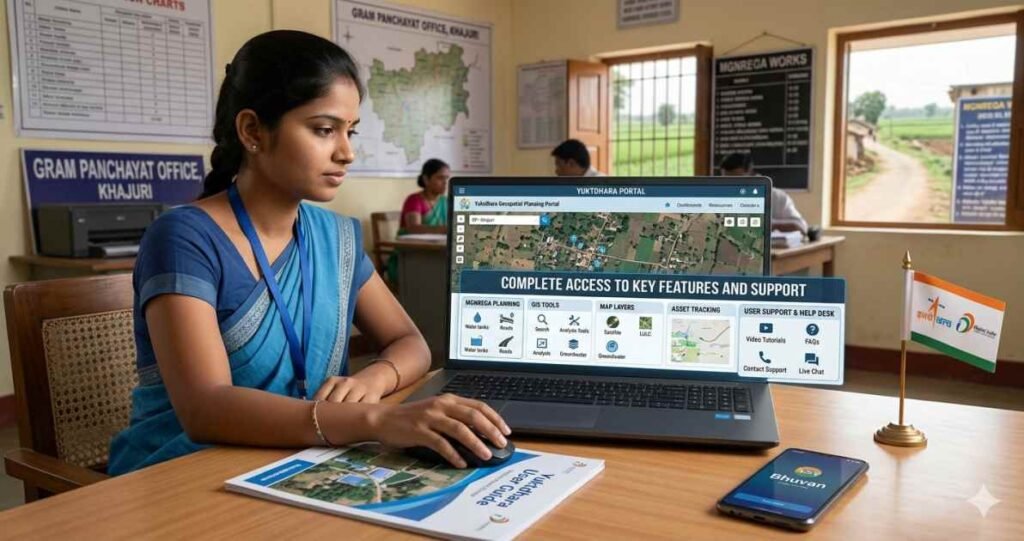
The landscape of rural development in India is undergoing a massive digital shift driven by advanced geospatial tools. One specific innovation stands out for its scientific approach toward asset creation. This guide explores the yuktdhara portal in depth. I have analyzed the technical layers of this system to provide a clear picture for planners, students, and citizens.
What Is Yuktdhara Portal

The yuktdhara portal is a sophisticated geospatial planning tool developed by the Indian Space Research Organization in collaboration with the Ministry of Rural Development. It serves as a specialized platform within the Bhuvan geoportal ecosystem. Its primary purpose is to facilitate the planning of assets under the Mahatma Gandhi National Rural Employment Guarantee Act. By using remote sensing and Geographic Information System data, the portal allows for decentralized decision-making at the Gram Panchayat level.
The name Yuktdhara comes from the Sanskrit words Yukt, meaning joined, and Dhara, meaning flow. This signifies the integration of diverse data streams into a single planning flow. The portal acts as a repository for geotagged assets created under various national programs, such as:
- Mahatma Gandhi NREGA
- Integrated Watershed Management Programme
- Per Drop More Crop
- Rashtriya Krishi Vikas Yojana
The portal represents a significant shift from traditional paper-based planning to a more accurate digital workflow.
Why Yuktdhara Portal Is Important
The importance of the yuktdhara portal lies in its ability to bring scientific rigor to rural planning. Prior to this digital introduction, determining the optimal site for a check dam or plantation often relied on physical surveys, which were prone to inaccuracies.
Scientific Planning and Accuracy
The portal uses multi-temporal satellite imagery provided by the space agency. This allows planners to see the changes in land use over time. For someone preparing for the yuktdhara portal UPSC syllabus, it is vital to note that this tool ensures the Ridge to Valley approach in watershed management. This means water conservation starts from the highest point of a landscape and moves downward.
Transparency and Accountability
Every asset planned on the portal is geotagged. This leaves no room for ghost assets or duplicate entries. Since the plans are visible to multiple levels of administration, it fosters a culture of accountability. I noticed that integrating satellite data makes it nearly impossible to fudge records of a rural project’s physical existence.
How Yuktdhara Portal Works
The operational workflow of the yuktdhara portal is divided into several technical stages. It follows a government-to-government model, in which local officials initiate the plan.
Step 1 Registration and Authentication
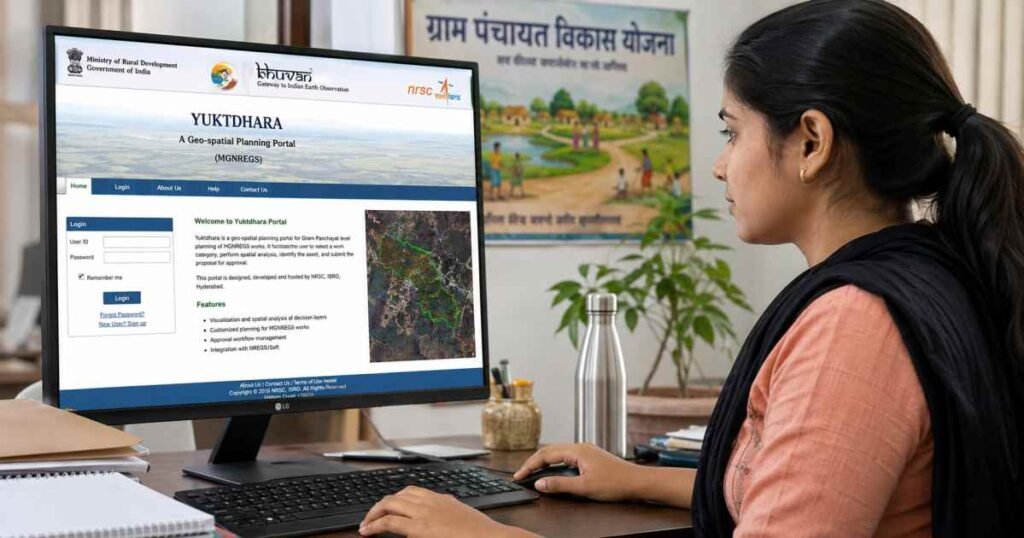
Before any planning begins, the Gram Panchayat must complete the yuktdhara portal registration. This involves providing an official email address and obtaining verification from the District or Block office. Once registered, users can access the yuktdhara portal and log in with their credentials.
Step 2 Landscape Familiarisation
Upon logging in, the user selects a State, District, Block, and Gram Panchayat. The portal then loads a base map with the specific boundary of that area. Users can view various thematic layers, such as:
- Land Use and Land Cover maps
- Groundwater prospecting data
- Wasteland and land degradation maps
- Existing MGNREGA assets
Step 3 Activity Identification
The user selects a specific activity from a list of permissible activities. These are divided into Geospatially Analyzable Works and Non-GAW. For GAW, the portal uses a built-in ruleset to suggest the most suitable locations based on the terrain.
| Workflow Stage | Description |
| Login | Access using yuktdhara portal login credentials |
| Selection | Choosing the administrative boundary |
| Visualization | Viewing satellite imagery and thematic layers |
| Drawing | Using the Draw AOI tool to mark the project area |
| Approval | Submitting the plan for technical verification |
Export to Sheets
Main Features of Yuktdhara Portal
The portal is packed with features that make it a robust tool for rural engineers and planners. It is not just a map but a decision support system.
Geospatial Layers
The yuktdhara portal integrates high-resolution Earth observation data. In the 2026 version, coordinate precision has been increased. This ensures that the exact location of a small well or a pond is recorded with pinpoint accuracy.
Automated Suggestions
One of the most innovative features is the GAW automated suggestion system. If a planner wants to build a pond, the portal analyzes the slope, soil type, and drainage patterns to highlight areas where water collection would be most effective. This feature reduces the technical burden on local officials who might not be GIS experts.
Integration with NREGASoft
The portal is seamlessly linked to NREGASoft, the management information system for MGNREGA. This ensures that once a plan is approved on Yuktdhara, it moves directly into the financial and administrative workflow for funding and labour allocation.
Who Can Use Yuktdhara Portal
The portal primarily serves government officials and functionaries.
- Gram Panchayat Officials: For initial planning and site selection.
- Technical Resource Units: For verifying the technical feasibility of proposed works.
- Block and District Managers: For approving the annual action plans.
- UPSC Aspirants: For studying e-governance and rural development initiatives.
While the general public cannot create plans, the information generated contributes to public transparency and better governance in villages.
How Yuktdhara Portal Supports Rural Planning
Rural planning in India requires a deep understanding of local geography. The yuktdhara portal provides this through a holistic digital ecosystem.
Watershed Management
Effective water conservation requires identifying the natural flow of water. The portal provides Digital Elevation Models that show land elevation and slope. This helps in planning structures like:
- Contour trenches
- Check dams
- Farm ponds
- Gabion structures
Convergence of Schemes
The portal allows different departments to see what others in the same area are planning. For example, if a Forest Department plans a plantation, the Rural Development Department can plan a water source nearby to support those trees. This avoids duplication and saves public money.
Benefits of Yuktdhara Portal
The benefits of using this portal extend from the local village to the national level.
- Evidence-Based Decisions: Choices are made based on satellite data rather than subjective preferences.
- Cost Effectiveness: An improved location choice results in more resilient properties, reducing the need for regular maintenance.
- Environmental Impact: Scientific planning helps recharge groundwater and prevent soil erosion.
- Disaster Resilience: By understanding the terrain, villages can better prepare for floods or droughts by strategically placing structures.
I would suggest that every rural development officer should master these tools to maximize the impact of government funds.
Common Problems and Support Options
Users sometimes face technical hurdles while navigating the portal. Understanding these can help in a smoother experience.
Login and Password Issues
Many users encounter difficulties during the yuktdhara portal login process. This usually happens due to incorrect credentials or an expired session. It is important to ensure that the official email used during yuktdhara portal registration is active, as password resets are sent there.
Browser Compatibility
The portal is optimized for specific browsers. For the best experience, users should use:
- Google Chrome latest version
- Mozilla Firefox
- Minimum screen resolution of 1024×768 pixels
Support Mechanism
If a user faces a persistent problem, the portal provides a Contact Us section. A Technical Resource Unit at the district level provides training and troubleshooting support for local functionaries.
Frequently Asked Questions About Yuktdhara Portal
What is the link between Yuktdhara and Bhuvan?
Yuktdhara is a specialized planning portal hosted on the Bhuvan platform. Bhuvan provides the underlying satellite imagery and GIS infrastructure, while Yuktdhara adds the specific tools for MGNREGA planning.
Is there a mobile app for Yuktdhara
Planning is primarily done on the web portal because of the complex GIS tools required. However, field photos are often captured using mobile apps such as GeoMGNREGA and then uploaded to the portal.
Why is the yuktdhara portal UPSC relevant?
It is a prime example of e-governance and the application of space technology in social sectors. Questions often appear regarding its role in decentralized planning and rural development.
How are works categorized in the portal?
Works are divided into GAW and Non-GAW. GAW works have a predefined ruleset for automated location suggestions.
Can a plan be rejected on the portal?
In the latest update, the term Reject has been replaced with Revert. This allows the plan to be returned to the initiator for corrections rather than being discarded entirely.
Conclusion
The yuktdhara portal is more than just a mapping tool. It is a bridge between advanced space technology and the needs of a small village in India. By integrating satellite imagery with local planning, it ensures that every rupee spent on rural development is backed by scientific data. I have analyzed how this platform empowers local officials and provides a level of transparency previously impossible. Whether for an official using the yuktdhara portal login to plan a new pond or a student researching the yuktdhara portal UPSC topics, this system represents the future of digital India.
Pingback: Kotak Neo Login: Safe Sign-In Guide for 2026