
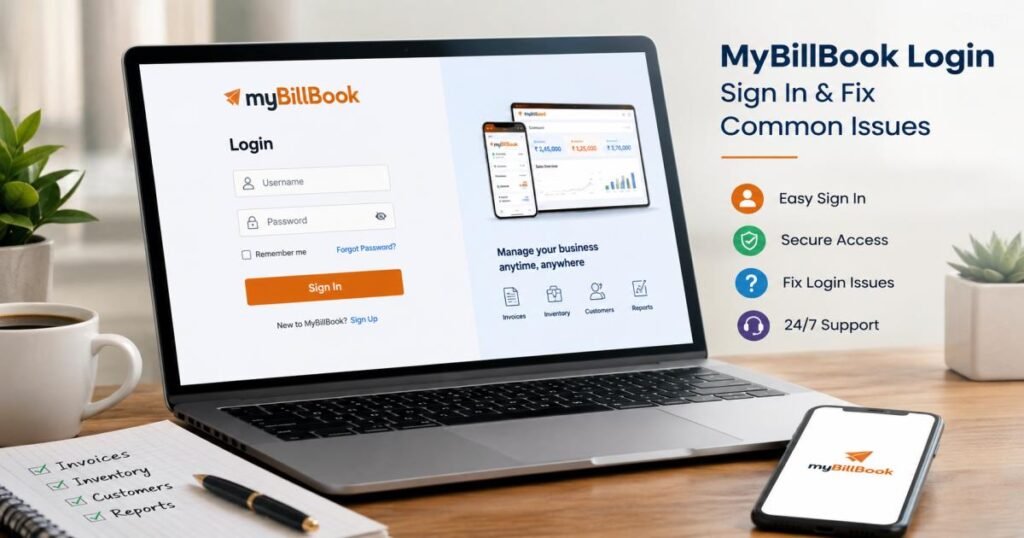
MyBillBook login is the step that opens your GST billing and accounting account on the official site or mobile app. To sign in, use your registered mobile number along with a one-time password (OTP). The official address is mybillbook. in. Both the web and the app use this method most of the time, and the login screen also shows a “Forgot Password?” option. Always open the real website or the official Android and iOS apps.
This guide gives plain steps so you can sign in fast, solve the usual problems, and protect your business records. It works for users in India and other places who want clear help without extra words.
What Is MyBillBook Login?
MyBillBook is GST billing and accounting software built for small and medium businesses in India. Shop owners, wholesalers, retailers, distributors, and manufacturers use it to create invoices, track stock, manage customers (called parties), record payments, and pull reports. FloBiz runs the product. More than one crore businesses already rely on it because the tools stay simple on phone and computer.
After myBillBook login, you reach the dashboard. From there, you create GST or non-GST invoices, check inventory across godowns, keep party ledgers, send payment reminders, and view sales or stock reports. Data stays in the cloud and updates across devices when the internet is on.
You can open it three ways:
- Any web browser on a computer
- Android app from Google Play
- iOS app from the App Store
Open only the real site or the real apps. Fake pages try to take your details. Your records stay protected with the same kind of security used by net-banking apps.
How to Complete MyBillBook Login on the Web
Web access suits desk work and big-screen reports.
Step 1: Open the Official MyBillBook Website
Type mybillbook.in in Chrome, Firefox or Edge. Check that the address starts with https. Bookmark the page so you never type a wrong link.
Step 2: Select the Login Option
Click the Login or Sign In button near the top of the page. The login screen opens.
Step 3: Enter Your Mobile Number
Type the mobile number linked to your account. Some older screens still show username and password fields. Use the details you set when you signed up. Check for typing mistakes.
Step 4: Select “Sign In”
Click Sign In. An OTP arrives on your phone. Enter the code and continue. You land on the dashboard.
What to Do If You See “Forgot Password?”
Click the link. Follow the screen instructions. The system sends a reset link or code to your registered contact. Create a new strong password and sign in again. Official help pages confirm this option sits on the login screen.
How to Log In to MyBillBook on Mobile
The apps work well when you create bills at the counter or check stock while moving.
MyBillBook Login on Android
Open Google Play. Search “myBillBook”. Install the official app. Open it. Pick your language if asked (English, Hindi, Hinglish, Gujarati or Tamil). Enter your registered mobile number, request the OTP, type the code and finish. The dashboard appears.
MyBillBook Login on iPhone or iPad
Open the App Store. Search “myBillBook”. Install the official app. Open it, choose language if needed, enter the registered number, type the OTP and sign in.
Using Your Registered Mobile Number and OTP
The system sends a short code to the number you registered. Enter it before it expires. Never share the code.
Can You Use the Same Account on Multiple Devices?
Yes. Official pages state you can open the same account on several phones, tablets or computers with the OTP sent to the registered number. Data updates automatically when the device has internet. No manual sync is required.
MyBillBook Login With OTP: How It Works
OTP is the main gate.
You need the registered mobile number. After you enter the number the code arrives by SMS. Type it exactly. If the code does not arrive, wait one minute, check signal, confirm the number is correct and request a new one. Network delays happen sometimes. Keep the SIM active and the phone nearby. Without the registered number you cannot finish login.
Forgot MyBillBook Password? Here’s How to Recover It
OTP is primary, yet password recovery still exists.
Use the “Forgot Password?” Option
Click or tap the link on the login screen.
Follow the Password Reset Instructions
Enter your registered number or other verification details. The system sends the next steps.
Create a New Password
Select a combination of letters, numbers, and symbols. Avoid your business name or simple words. Save the new password somewhere safe.
What should you do if you no longer have access to your registered phone number?
You cannot change the number yourself. Call or message official support and raise a request. They verify ownership and help. Password recovery and OTP access stay linked but separate. The official FAQ confirms the Forgot Password feature is live.
Common MyBillBook Login Problems and Fixes
Incorrect Username or Password
Check spelling and caps lock. Use the Forgot Password link. Confirm you typed the registered details.
OTP Not Received
Check signal and the SMS inbox (including spam). Confirm the number. Wait 60–90 seconds and request again. Restart the phone if needed. Contact support if it keeps failing.
Wrong or Old Mobile Number
You cannot update it alone. Contact support with proof of ownership.
Login Page Not Loading
Test your internet. Try another browser or clear cache. Switch between Wi-Fi and mobile data. If the server is busy, please try again later.
App Keeps Closing or Freezing
Update the app. Clear its cache in phone settings. Restart the phone. Reinstall if needed—your data stays safe in the cloud.
Internet Connection Problems
OTP and sync need a steady link. Move to better signal or change networks.
Browser Cache or Cookie Issues
Clear cache and cookies, then try again. Keep the browser updated.
Login Works on One Device but Not Another
Give the second device good internet and the correct number. Request a fresh OTP there.
Temporary Service or Server Problems
Wait a short time and try again. Check the official site or support channels for any notice.
Most problems clear with these checks.
What to Do If You Lose Your Phone
Your data stays safe.
You can still open the account on a new phone or any other device once the registered number works again. Login needs the OTP sent to that number. Keep the number active (new SIM with the same number works). Official pages state the data remains in the cloud and appears again after you sign in with the registered number and OTP.
Can You Access MyBillBook From Multiple Devices?
Yes. You can use mobile phones, tablets, and web browsers on computers. Data stays in sync when any device has internet. Log in on each device with the registered number and OTP. The same dashboard, parties, stock, and reports appear. Owners and staff with the right permissions can work from different places.
MyBillBook Login Security Tips
- Open only mybillbook. in or the official apps from Google Play and the App Store.
- Never share an OTP, even if someone claims to be support.
- Keep the registered phone number active and private.
- Do not save login details on shared or public computers.
- Sign out completely when you finish on a public device.
- Check the web address and the lock icon before you enter any details.
These habits protect invoices, customer lists and stock records.
MyBillBook Login vs MyBillBook App Login
| Access method | Typical login route | Best for |
| Web | Official website login | Desktop users |
| Android | Mobile app | Counter and field work |
| iOS | Mobile app | iPhone and iPad users |
Web and app open the same account and the same features. Pick the one that matches where you work.
What Can You Do After MyBillBook Login?
You can create GST and non-GST invoices, manage inventory with low-stock alerts and batch tracking, add parties, view sales and stock reports, record payments, send reminders and handle daily billing tasks. The same information appears on every supported device. Data updates automatically when the internet is available. The dashboard shows money to collect, money to pay and recent transactions at a glance.
When to Contact MyBillBook Support
Reach support when login fails after the fixes above, the registered number causes problems, password recovery or OTP does not work, or devices stop syncing.
Help sits at knowledge.mybillbook.in. Call or WhatsApp +91-7400417400. Email support@flobiz.in. Support usually answers from 9 AM to 9 PM. The help centre also holds guides for every feature.
Final Takeaway
Open the official site or app, enter the registered mobile number, type the OTP and sign in. That is the shortest path. Use only official pages and apps. If the usual steps fail, try Forgot Password or contact support. Your records stay in the cloud and return as soon as you regain access with the registered number and OTP.
Frequently Asked Questions About MyBillBook Login
How do I log in to myBillBook?
Open mybillbook. in or the official app, enter the registered mobile number, receive the OTP, type it, and continue.
Is myBillBook login available on a PC?
Yes. Use any current browser and follow the web steps.
How do I reset my myBillBook password?
Click “Forgot Password?” on the login screen and follow the instructions.
Why am I not receiving myBillBook OTP?
Check signal, the correct number and the spam folder. Request a new code after a short wait. Contact support if it continues.
Can I use myBillBook on multiple devices?
Yes. Use the OTP sent to the registered number on each device. Data updates automatically with internet.
Can I access myBillBook if I lose my phone?
Yes. Keep the registered number active and sign in on a new device with the OTP. Data remains safe.
Can I log in to myBillBook without an OTP?
Official pages state login needs the OTP in normal cases.
How do I change my registered mobile number?
You cannot change it yourself. Contact support and raise a request.
Is myBillBook available on Android and iOS?
Yes. Download the official apps from Google Play and the App Store.
Is my business data available after reinstalling the app?
Yes. Data lives in the cloud. Sign in again with the registered number and OTP and everything appears.
These steps and answers cover the full myBillBook login process so you can get back to billing without delay.
Pingback: PW App Login 2026: Sign In, OTP & Common Login Fixes