
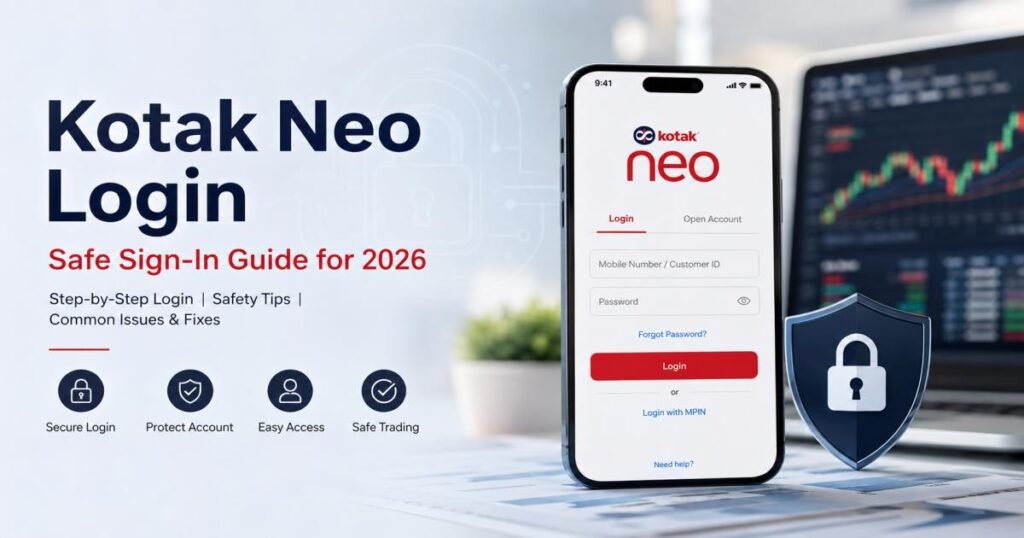
You complete your Kotak Neo login through the official mobile app or the web platform at ntrade.kotakneo.com. On the app you enter your registered mobile number, password, and OTP, then use a 6-digit M-PIN or biometrics for later access. On the website you use mobile number or PAN, password, and OTP, or scan a QR code from the app. Stick to these official routes every time.
This guide gives you the exact steps, common fixes, and safety habits that work for most users. It covers both first-time and regular sign-ins so you can get into your account without delays or risks.
Kotak Neo Login: What You Need to Know
Kotak Neo is the trading and investment platform from Kotak Securities. It lets you place stock orders, trade futures and options, invest in mutual funds, and manage your demat account. Most people use the mobile app for daily trading because it runs faster on a phone. The website works well for checking reports or trading from a computer.
Anyone with an active Kotak Neo trading account can sign in. New users finish a short setup after account opening. Users who switched from older Kotak platforms usually create Neo-specific details the first time they open the app. The process stays the same whether you trade from India or check your account while traveling.
A quick way to sign in on the app starts with your mobile number, password, and the OTP that arrives by SMS. After that first successful entry, the app lets you switch to M-PIN or fingerprint/face recognition. On the website the same password works with either mobile number or PAN.
How to Complete Kotak Neo Login
The app and website share the same core details but show slightly different screens. Official support confirms the flows differ because the app adds M-PIN and biometric options that the website does not use the same way.
Login through the Neo mobile app
Download the app only from Google Play or the App Store. Open it and enter the mobile number linked to your account.
Log in through the Kotak Neo website
Type ntrade.kotakneo.com in your browser address bar. Do not follow links from messages or search results that look suspicious.
Mobile number, PAN, password, OTP, and M-PIN options
Most people start with the registered mobile number. The website also accepts PAN. You then type the password created during setup. An OTP arrives by SMS for one-time confirmation. After the first full login the app stores a 6-digit M-PIN so you skip the longer process next time. Biometrics work on phones that support fingerprint or face unlock if you turned the feature on.
Kotak Neo App Login: Step-by-Step
- Open the official Kotak Neo app.
- Type your registered mobile number.
- Enter the password you set during account setup.
- Type the OTP that arrives on your phone.
- Reach the home screen.
On later visits open the app and enter only the 6-digit M-PIN. If you switched on biometric access during setup or in the security settings, the phone can unlock the app with fingerprint or face recognition instead.
If the app asks you to set up the account first, choose Account Setup rather than Login. Enter mobile number and PAN. Open the email Kotak Neo sends, select the setup link, type the mobile OTP, create a password, and set the 6-digit M-PIN. After this one-time step the normal login flow works every day.
Kotak Neo Web Login
Go straight to ntrade.kotakneo.com.
You can sign in three ways:
- Enter your mobile number, password, and OTP.
- Enter your PAN, password, and OTP.
- Scan the QR code shown on the login page. Open the Kotak Neo app, tap the profile icon in the top right, choose “Login to desktop web,” and scan the code.
The QR method links the session without typing details again. Use it when you sit at a computer and already have the app open on your phone.
Kotak Neo Login vs. Older Kotak Securities Login
Users who moved from the older Kotak Stock Trader app or legacy website often see new screens. Older systems asked for a User ID, password, and a daily access code. Neo uses mobile number or PAN, a Neo-specific password, OTP, and then M-PIN or biometrics.
Old credentials do not work automatically. You finish the Neo account setup once. After that the new password works on both the Neo app and the Neo website. Treat the Neo login as its own system so you avoid failed attempts that can lock the account.
Forgot Kotak Neo Password or M-PIN?
Password reset
On the password screen tap “Forgot password?” Enter your registered mobile number and PAN. A 4-digit code arrives in the registered email. Type that code, then the OTP sent to your phone. Create a new password and confirm it. You can sign in right away with the new password.
M-PIN reset
On the M-PIN screen tap “Forgot M-PIN?” Enter mobile number and PAN. Open the reset link that arrives by email using the Kotak Neo app. Type the mobile OTP and set a new 6-digit M-PIN.
You need access to the registered mobile number, the registered email, and your PAN. Keep the email inbox and spam folder open while you wait. If the OTP fails to arrive within a few minutes, wait and try once more. Still nothing? Please reach out to support using your registered email address or phone number.
Kotak Neo Account Locked: How to Unlock It
The system locks the account after three wrong password attempts, three wrong M-PIN entries, or three wrong OTPs. This protects the account from repeated guessing.
To unlock, use the same reset path: tap Reset password or M-PIN, enter mobile number and PAN, open the email link in the app, enter the mobile OTP, and set new details. Some screens show an “Unlock My Account” button that asks for PAN and date of birth. After verification you can sign in with the original credentials or reset them if you prefer.
If you cannot remember any details, start the forgot-password flow. Support can help once you write from the registered email address.
Kotak Neo Login OTP Not Received: Common Fixes
Check that the mobile number matches the one registered with the account. Look in the email spam, junk, and promotions folders if an email code is involved. Wait at least three minutes before asking for another OTP. Make sure the phone has signal and the app has internet. Restart the phone or switch between mobile data and Wi-Fi.
If the code still does not appear, call the official helpline or email support@kotakneo.com from the registered address. Official guidance notes that most OTPs arrive by SMS within a few minutes under normal network conditions.
Is Kotak Neo Login Safe?
The platform protects accounts with password, OTP, M-PIN, and optional biometrics. These layers work only when you start from official sources.
Use the app downloaded from Google Play or the App Store. Type ntrade.kotakneo.com yourself instead of clicking links. Never share the password, M-PIN, or OTP with anyone. Kotak Neo staff never ask for the full codes over phone or chat. Anyone who does is not genuine.
Turn on biometric login only on your personal phone. Sign out completely after using a shared computer. Keep the app updated so security fixes install automatically. These habits stop most fake-page and phishing attempts.
Kotak Neo Access Code: What Is It?
Older Kotak platforms used a four-digit daily access code. Official support states the feature does not apply to Neo. Neo relies on password, OTP, M-PIN, and biometrics. If you still see an access-code field, you are looking at outdated instructions or a different platform. Stay with the current Neo methods.
Common Kotak Neo Login Problems and Solutions
Wrong password: Use the forgot-password steps with mobile number and PAN.
Wrong M-PIN: Use the forgot-M-PIN path and the email link.
Account locked: Follow the reset or unlock process that uses mobile, PAN, and email.
OTP delays: Confirm the number, check network, wait a few minutes, then contact support if needed.
App problems: Update the app, clear its cache, or reinstall only from official stores.
Website problems: Confirm the exact address ntrade.kotakneo.com, try another browser, or switch to the QR method.
Credentials fail after migration: Finish the Neo account setup first so the new password and M-PIN take effect.
Most issues clear with the official reset steps. Persistent cases need the support team.
Tips for a Safer Kotak Neo Login
Download the app only from official stores. Type the website address yourself. Keep the app updated. Protect the registered phone with a lock screen. Avoid public computers when possible; sign out fully if you must use one. Never share any authentication code. Review recent account activity from time to time and report anything unusual at once.
Frequently Asked Questions About Kotak Neo Login
How do I log in to Kotak Neo?
Open the official app, enter mobile number, password, and OTP. Later use M-PIN or biometrics. On the website go to ntrade.kotakneo.com and use mobile number or PAN plus password and OTP, or scan the QR code from the app.
Can I log in using PAN?
Yes. On the website choose PAN as the identifier, then enter the password and OTP.
Can I access Kotak Neo from a computer?
Yes. Use ntrade.kotakneo.com or the QR-code option from the mobile app.
What should I do if I forget my M-PIN?
Tap Forgot M-PIN, enter mobile number and PAN, open the email link in the app, enter the mobile OTP, and create a new 6-digit M-PIN.
Why is my Kotak Neo account locked?
Three wrong password, M-PIN, or OTP attempts trigger the lock. Use the reset or unlock steps with mobile number, PAN, and the email link or PAN plus date of birth.
Why am I not receiving my OTP?
Confirm the registered number, check signal and spam folders, wait a few minutes, then contact support if the code still fails to arrive.
Are Neo app and web login credentials the same?
The password works across both after Neo setup. The app adds M-PIN and biometric options that the website does not use in the same way.
Final Takeaway: Use the Official Kotak Neo Login Route
Start every Kotak Neo login from the official app or ntrade.kotakneo.com. Enter the registered mobile number or PAN, the password, and the OTP. Switch to M-PIN or biometrics for everyday speed on the phone. If details are forgotten or the account locks, follow the official reset path that uses mobile number, PAN, email, and OTP.
For further help write to support@kotakneo.com from the registered email or call the numbers listed on the official Kotak Neo contact page. These steps keep the account secure and ready for trading.